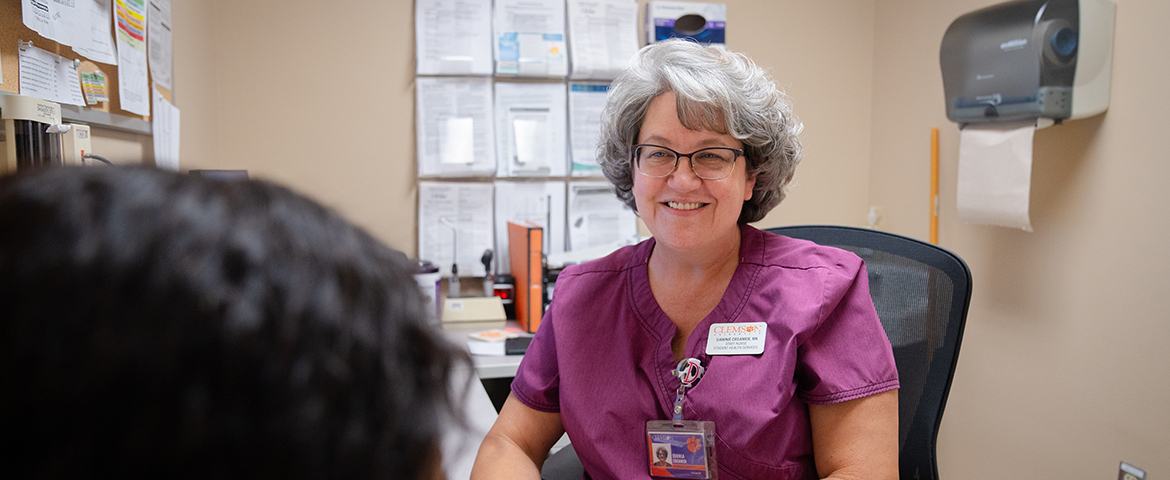

Who We Are
The Occupational Health Program (OHP) provides medical surveillance support, consultation services and workers’ compensation care to University employees. The program aims to prevent and reduce health hazards in the workplace.
In addition, the OHP plays a key role in supporting compliance with the Occupational Safety and Health Administration (OSHA) and the American Association for Accreditation of Laboratory Animal Care (AAALAC).
The OHP supports Occupational and Environmental Safety’s efforts by providing compassionate clinical care and monitoring for a range of medical considerations, like potential exposures to bloodborne pathogens and hearing conservation monitoring.
Meet the Team
Russell Taylor, RN
Registered Nurse
864-656-1591
Allison Honea, DNP, APRN, FNP-C
Occupational Health Program Nurse Practitioner
864-656-4659
Medical Surveillance Program (MSP)
Clemson University employees, students and select affiliates who are potentially exposed to occupational and environmental hazards will enroll in the OHP's medical surveillance program (MSP) at no cost through SciShield.
Supervisors, researchers or course instructors are responsible for registering their team members or students in SciShield and selecting the individual's applicable job activities. Specific job duties or course elements that require medical surveillance will trigger an MSP enrollment requirement within SciShield.
Those required to participate in the program should submit the required form(s) and immunization records. For guidance on obtaining and interpreting your immunization records, please review the Online Access to Immunization Records (PDF).
-
Viewing Your MSP Requirements
To review your MSP requirements, log in to SciShield with your CU username and password.
- Review your MSP Requirements by going to "My Profile" (Click your name in the top right of the screen or click on “My Account” and “My Profile” on the left side of the screen).
- Select the “Medical Surveillance” tab to view your specific requirements, based on your job activities.
- Download your required MSP forms or questionnaires in SciShield from the “Document Library” under “Research Tools” on the left sidebar.
-
Instructions for MSP Enrollment
- Review your MSP Requirements in SciShield under “My Account”, “My Profile” and “Medical Surveillance”.
- Download your required MSP forms or questionnaires in SciShield under “Research Tools” and “Document Library”.
- The Animal Contact Form is embedded within SciShield and located under the “Animal Contact” tab on your user profile page and offers an upload option for immunizations.
- Complete only the form(s) listed in your requirements.
- Obtain a copy of your immunization record.
- There is guidance on how to locate and interpret your immunization record in the “Document Library”.
- Attach your form(s) and immunization record to submit via email to ClemsonMSP@clemson.edu.
- It is suggested you follow CCIT instructions for e-mail encryption.
- The Occupational Health Program will review these forms and notify you of status updates through the SciShield platform.
- Recheck your requirements annually.
- Note: some forms may require renewal.
- SciShield will generate automated reminders via email for training and form renewal.
- Note: some forms may require renewal.
-
Declining Medical Surveillance
In the event an individual wishes to decline Medical Surveillance, they may submit the MSP Declination Form, found in the “Document Library”.
Please note that certain job functions do not permit MSP declination. An individual may change their mind and enroll in the MSP at any time.
-
Instructions for Checking your Form Status
- To confirm that your documents have been reviewed, you can log in to SciShield and click on “My Account”, “My Profile” on the left-hand navigation.
- Select the “Medical Surveillance” tab at the top of the screen to view your Status and Next Due date.
-
Instructions for Supervisors
For instructions on how to add members to your department or lab and how to add job activities for the member, consult the SciShield resources available from Occupational and Environmental Safety (OES).
- To review enrollee completion in SciShield, login to SciShield using your CU Username and Password.
- Select your department or lab on the left navigation, then select the “Medical Surveillance” tab.
- Under “Medical Surveillance Requirements”, you will have the option to search by Service Type, Status, User, and Next Due Date.
- To view those who have completed a Medical Surveillance Requirement, set the Service Type you are looking for and Status “Complete”.
- To view those who have not completed the Medical Surveillance Requirement, set the Service Type you are looking for and Status “Not Completed”.
Supervisors needing assistance with SciShield refer to the OES website and contact oeshelp@clemson.edu.
Elements of Medical Surveillance at Clemson University
Animal Contact
- Enrollment required annually for those who work directly with animals or animal source materials.
- The purpose of this requirement is to assess potential animal and animal source exposure risks before being added to an Animal Use Protocol (AUP).
- This is a digital form embedded within SciShield’s “Animal Contact” tab and visible only to those with this requirement. This form requires all the information for MSP enrollment and an additional MSP enrollment form is not needed. The form also includes an option to upload an immunization record rather than submitting via e-mail.
Respiratory Protection
- The Respiratory Protection – Medical Evaluation Questionnaire is required annually for those who conduct work that requires a respirator, work with materials that require a respirator, or perform pesticide or herbicide application. This form is reviewed to determine eligibility for respirator fit testing.
- The purpose of this requirement is to ensure those who need respirator fit testing are able to undergo fit testing for respirator selection.
- MSP staff will review your form and provide a medical clearance letter to move forward with scheduling your fit testing and respirator selection with OES. OES performs the fit testing. OSHA requires fit testing to be performed annually.
- Learn more about OES Respiratory Protection.
Hearing Conservation
- For those who work in an area requiring hearing testing, a baseline audiogram is required at the time of initial assignment or within 6 months of exposure to noise above the OSHA Action Level. Employees will complete annual audiology testing through the Medical Surveillance Program to review and ensure there is no hearing loss. MSP will also coordinate any referrals to an audiologist or specialist if necessary.
- The purpose of this requirement is to prevent permanent noise-induced hearing loss resulting from on-the-job noise exposure.
- Learn more about OES Hearing Conservation.
Immunizations and Screenings
Hepatitis B Immunization
- Required one time only. MSP will request documentation of Hepatitis B vaccination or immunity for those in contact with blood, bodily fluids, or wastewater samples; working with human materials; performing work in a medical or clinical laboratory environment.
- The purpose of this requirement is to ensure that the enrollee has had the hepatitis B series to protect them from the hepatitis B virus. Employees with occupational exposure risk must be offered the vaccine and informed about their options.
- The Hepatitis B Immunization is an important part of Clemson University's Bloodborne Pathogen Exposure Control Program coordinated by OES.
- Vaccination may not be required if the employee has previously completed the Hepatitis B vaccine series, has confirmed immunity through antibody testing or has a medical contraindication. If any of these exemptions apply, the exemption will be documented in the employee’s occupational health record.
- In the event an individual wishes to decline the hepatitis B vaccine, they may submit the Hepatitis B Declination Form found in the “Document Library”. An individual may change their mind and request an immunization at any time.
Tuberculosis Screening
- A Tuberculosis Screening Questionnaire is required annually for specific groups on campus who are at higher risk of contracting tuberculosis. These groups include medical facilities and emergency services.
- The purpose of this requirement is to assess an enrollee’s risk factors for tuberculosis.
Emergency Information
In an emergency, call 911. On-campus medical emergencies are transported by the University ambulance to the appropriate community medical resource. For mental health emergency, call or text 988 or Chat Online.
In case of injury, it is an employee’s responsibility to notify his/her supervisor or department head immediately. Any injury, no matter how slight, must be reported to your supervisor. The supervisor or other designated person must call CorVel at 1-866-282-2674.
In the event of life or limb-threatening emergencies, contact 911 or seek immediate medical attention at the nearest emergency facility. Learn more information on the Workers' Compensation webpage.
University personnel should document injuries and near misses using the SciShield Incident Report Form. This form should be filled out whether or not medical treatment was needed.
