Move-In
Your Next Chapter Starts Here
Move-in marks the beginning of an unforgettable experience. Get ready to meet new people, explore campus, and make Clemson your home. Move-in instructions differ depending on your assigned semester and move-in date. Scroll down to locate the information for your semester.
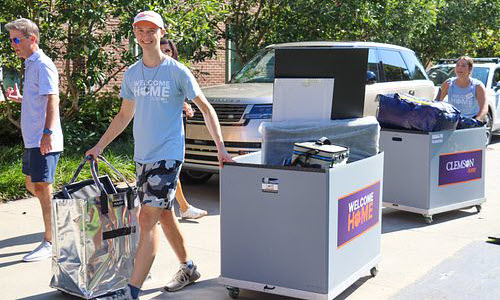
Why Living On Campus Rocks
Friends for Life

Surround yourself with people who become your people.
Steps Away

Be steps away from class, events, dining and campus life.
Make Memories

From late-night study sessions to game day traditions.
Tiger Pride

Feel energy. Live the tradition. You're home, Tiger!
Spring 2027 Move-In
Saturday, January 2 at 12 p.m. | Clemson Students
Saturday, January 2 at 12 p.m. | Bridge to Clemson Students
Returning Residents
Returning residents will log in to the Clemson Home portal and complete the "Self Check-in" process to activate their building access.
New Residents
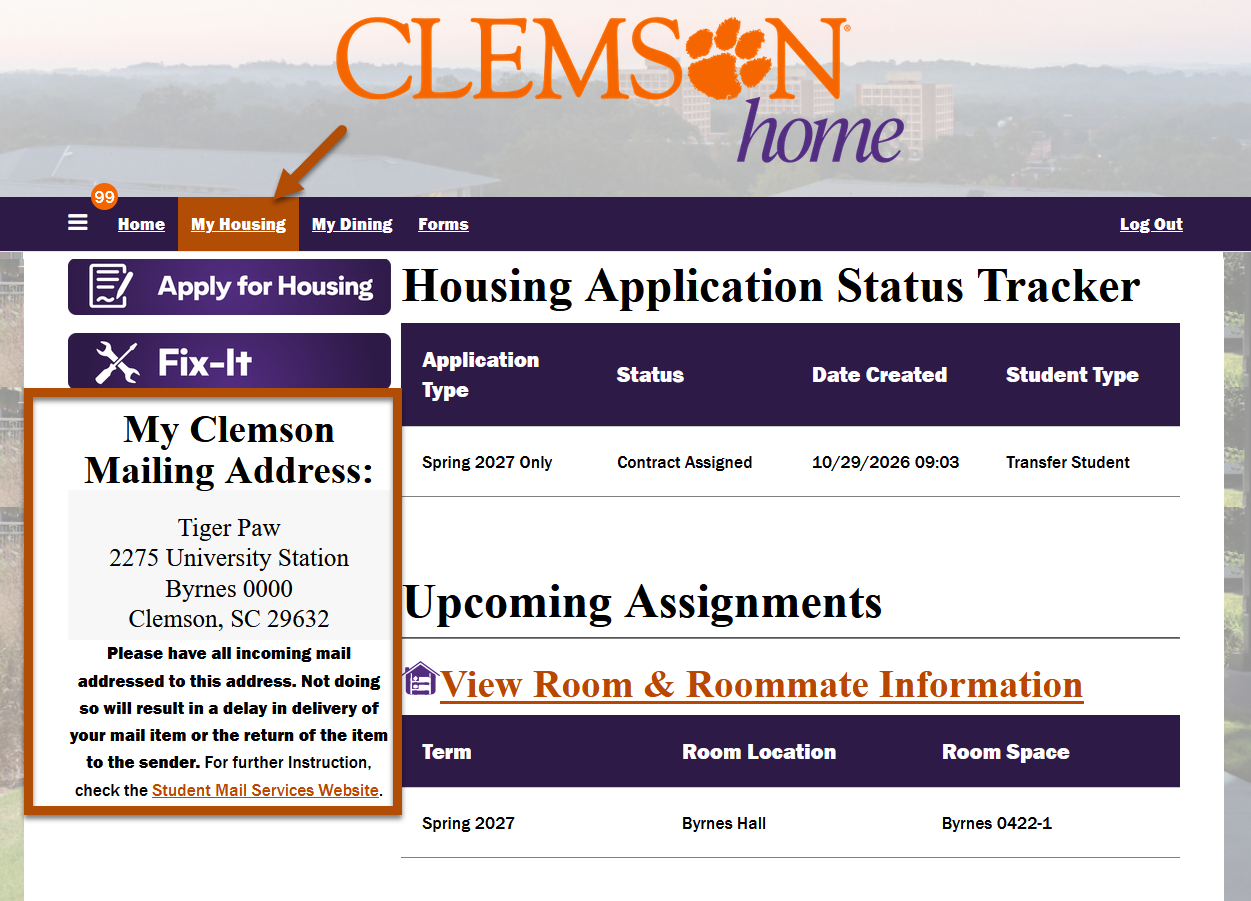
New Residents will check in at the area desk for their building. Post office box information will be sent to your Clemson email in late December and will also be available in the Clemson Home Portal at the same time.
Summer 2027 Move-in
Summer Sessions
All Sessions EXCEPT Second Summer Session and Summer Start will move in per the summer housing calendar. Proceed to the East Campus Area Desk to check in and receive a room key, if applicable.
East Campus Area Desk
864-656-2311
Mauldin Lobby, 228 Bryan Cir., Clemson, SC 29631
Summer Start and Second Summer
June 27 | General Move-In
Move-in appointments are required.
Late Arrival Residents will check in at the East Campus Area Desk.
-
Schedule Your Appointment
Move-in appointments are required for those arriving on June 27. To schedule your appointment, log in to the Clemson Home portal and navigate to Check-in @ClemsonHome. If you plan to arrive outside of your designated check-in timeframe, you will need to indicate that within the process.
Roommates
-
Each student selects their own individual check-in appointment.
-
If you and a roommate/suitemates want to move in at the same time, you all must select the same check-in time.
-
-
Before You Move In
Move-in dates
- Move-in: June 27
Check-in appointment
- Choose your check-in date and time. Access instructions are above.
Bed loft and rail requests
-
All standard Twin XL beds provided by the University are bunkable/loftable. Homemade lofts, DIY bed risers and raised platforms are not permitted. Only use the furniture as intended when lofting your bed and follow the bed lofting instructional video. Beds in Douthit West cannot be lofted.
-
A bed rail may be requested at your building's service desk after you move in. Only one rail per student, while supplies last.
Set up your TigerOne mobile ID
- You will need to upload a photo to TigerOne and upon approval you can download your mobile ID directly to your phone. View further instructions on the TigerOne website.
Packing prep
-
Read the Policies Guide for all policies and procedures and what items to leave at home. Use our helpful packing list too.
-
Try to pack items in boxes, storage tubs or durable, easy to carry bags to make the move-in process easy for you. Label each item with your First initial, last name, room number and tally of boxes. For example, Student Tiger in Manning 212 with 5 boxes would label his items with "S. Tiger, Manning 212, Box 1/5, Box 2/5," etc.
-
Rolling carts are available for use, however you are encouraged to bring a hand truck, dolly or wagon. You and your guests are responsible for moving items into your room.
Print your check-in packet
-
Your printable check-in packet will be available in June in the Clemson Home Portal. An email notification will be sent to your Clemson email address when it is ready.
-
The student assigned to the space must be in the vehicle when entering the check-in lot in order to receive the room key. You must also print and bring the entire packet with you on move-in day.
-
The packet includes the QR code required for access to the Check-In Day staging area in the P-5 Lot at your scheduled check-in appointment.
-
The packet includes two unloading parking passes. Each student may have a maximum of two vehicles. A vehicle towing a U-Haul or trailer counts as two vehicles. Sharing or printing extra copies of hang tags is not permitted.
-
If you plan to take a ride-share or taxi to the check-in lot, please email clemsonhome@clemson.edu so we can provide the information needed to make your arrival as efficient as possible.
-
Move-In Day
-
Position your unloading pass in dashboard driver’s side of the vehicle(s) and QR code facing the front windshield. Each student can bring up to two (2) cars. A vehicle towing a U-haul or trailer counts as two vehicles.
-
If you have a third car, you must park it in a perimeter lot on campus before coming to the check-in lot. A third car will not be allowed into the check-in lot.
-
Pull up to the welcome tents, where your QR code will be scanned.
-
Oversize vehicles, cars with trailers attached and box trucks should use the far right-hand lane in the check-in lot.
-
From there, just follow the directional signage and friendly faces to get in the correct lane for your key pickup, and then from the check-in lot, go to your residence hall or apartment unloading zone.
-
At your community's unloading zone, you will have 30 minutes to unload your vehicle and will need to move as soon as you are done.
-
Rolling carts are available for use, however you are encouraged to bring a hand truck, dolly or wagon. You and your guests are responsible for moving items into your room.
-
Any vehicle leaving campus after move-in may park in the family lot locations C1 or C3. Guests can then return to their student's community and rejoin the group.
-
Bring all trash and flattened cardboard boxes to the trash and recycle dumpsters outside the building.
-
In case there is severe weather during move-in, be sure to familiarize yourself with Clemson University warning sirens and safe alerts. If severe weather impacts Move-in operations, notification will be sent through the CU Safe Alert system.
-
| Session | Check-in | Term Dates | Check-out |
|---|---|---|---|
| Summer | May 9 | May 11-August 3 | August 4 |
| First Summer | May 9 | May 11-June 18 | June 19 |
| *Second Summer | June 27 | June 29-August 3 | August 4 |
| Summer Mini A | May 9 | May 11-June 1 | June 2 |
| Summer Mini B | May 30 | June 1-June 21 | June 22 |
| Summer Mini C | June 20 | June 22-July 12 | July 13 |
| Summer Mini D | July 12 | July 14-August 3 | August 4 |
*Requires an appointment
Fall 2026 Move-In
August 12-15 | General move in
7 a.m. to 1 p.m. Wednesday, Friday, Saturday
7 a.m. to 4 p.m. Thursday
August 10 | Sorority (Barnett, Quad, Smith) move in
August 11 | Sorority Potential New Members move in
Move-in appointments are required.
Video Transcript
00:00:00
Welcome to Clemson University.
00:00:02
Move-in day is here, and we're ready to welcome you home.
00:00:05
Before you head to campus, print your move-in DashPass and place it on the driver's side dashboard.
00:00:11
You'll need it to check in, access your building, and unload at your residence hall.
00:00:15
Your move-in starts at the check-in line.
00:00:17
A volunteer will scan your QR code.
00:00:19
Then you'll pick up your room key before heading to your residence hall.
00:00:23
Once you arrive at your building, you'll have 30 minutes to unload.
00:00:26
Label your boxes with your last name and room number to help everything get where it belongs.
00:00:32
After unloading, move your vehicle to visitor parking and start settling into your new Clemson home.
00:00:37
Meet your RCM, your neighbors, and your community.
00:00:40
Check your arrival time, finish packing, and get ready for an unforgettable Clemson experience.
00:00:45
Welcome home, Tigers.
-
Schedule Your Appointment
Check-in appointments are required for general move-in. To schedule an appointment, log in to the Clemson Home portal and navigate to Check-In @ClemsonHome. If you plan to arrive outside of your designated check-in timeframe, you will need to indicate that within the process.
Roommates
-
Each student selects their own individual check-in appointment.
-
If you and a roommate/suitemates want to move in at the same time, you all must select the same check-in time.
-
-
Before You Move In
Move-in dates
-
General Move-in: August 12-15
-
7 a.m. to 1 p.m. Wednesday, Friday, Saturday
-
7 a.m. to 4 p.m. Thursday
-
-
Sorority (Barnett, Quad, Smith) Move-in: August 10
-
Sorority Potential New Members Move-in: August 11
Check-in appointment
- Choose your check-in date and time. Access instructions are above.
Bed loft and rail requests
-
All standard Twin XL beds provided by the University are bunkable/loftable. Homemade lofts, DIY bed risers and raised platforms are not permitted. Only use the furniture as intended when lofting your bed and follow the bed lofting instructional video. Beds in Douthit West cannot be lofted.
- A bed rail may be requested at your building's service desk after you move in. Only one rail per student, while supplies last.
Set up your TigerOne mobile ID
-
You will need to upload a photo to TigerOne and upon approval you can download your mobile ID directly to your phone. View further instructions on the TigerOne website.
Microfridge
-
The MicroFridge is the only microwave allowed in residence hall rooms. Units can be ordered at mymicrofridge.com.
-
To guarantee pre-delivery to your room before you arrive for the fall semester, please place your order by August 1. MicroFridge rentals are not available for the summer semester.
- You may bring your own refrigerator if it is 3.6 cubic feet or smaller. Cooking appliances other than the MicroFridge are not permitted in residence hall rooms. Community hall kitchens are available for student use, and most standard kitchen appliances, including microwave ovens, may be used in apartment kitchens.
Packing prep
-
Read the Policies Guide for all policies and procedures and what items to leave at home. Use our helpful packing list too.
-
Try to pack items in boxes, storage tubs or durable, easy to carry bags to make the move-in process easy for you. Label each item with your First initial, last name, room number and tally of boxes. For example, Student Tiger in Manning 212 with 5 boxes would label his items with "S. Tiger, Manning 212, Box 1/5, Box 2/5," etc.
-
Rolling carts are available for use, however you are encouraged to bring a hand truck, dolly or wagon. You and your guests are responsible for moving items into your room.
Print your check-in packet
-
Your printable check-in packet will be available mid-July in the Clemson Home portal. An email notification will be sent to your Clemson email address when it is ready.
-
The student assigned to the space must be in the vehicle when entering the check-in lot in order to receive the room key. You must also print and bring the entire packet with you on move-in day.
-
The packet includes the QR code required for access to the Check-In Day staging area in the P-5 Lot at your scheduled check-in appointment.
-
The packet includes two unloading parking passes. Each student may have a maximum of two vehicles. A vehicle towing a U-Haul or trailer counts as two vehicles. Sharing or printing extra copies of hang tags is not permitted.
-
If you plan to take a ride-share or taxi to the check-in lot, please email clemsonhome@clemson.edu so we can provide the information needed to make your arrival as efficient as possible.
-
-
Move-In Day
-
Position your unloading pass in dashboard driver’s side of the vehicle(s) and QR code facing the front windshield. Each student can bring up to two (2) cars. A vehicle towing a U-haul or trailer counts as two vehicles.
-
If you have a third car, you must park it in a perimeter lot on campus before coming to the check-in lot. A third car will not be allowed into the check-in lot.
-
Pull up to the welcome tents, where your QR code will be scanned.
-
Oversize vehicles, cars with trailers attached and box trucks should use the far right-hand lane in the check-in lot.
-
From there, just follow the directional signage and friendly faces to get in the correct lane for your key pickup, and then from the check-in lot, go to your residence hall or apartment unloading zone.
-
At your community's unloading zone, you will have 30 minutes to unload your vehicle and will need to move as soon as you are done.
-
Rolling carts are available for use, however you are encouraged to bring a hand truck, dolly or wagon. You and your guests are responsible for moving items into your room.
-
Any vehicle leaving campus after move-in may park in the family lot locations C1 or C3. Guests can then return to their student's community and rejoin the group.
-
Bring all trash and flattened cardboard boxes to the trash and recycle dumpsters outside the building.
-
In case there is severe weather during move-in, be sure to familiarize yourself with Clemson University warning sirens and safe alerts. If severe weather impacts move-in operations, notification will be sent through the CU Safe Alert system.
-
-
After You Move In
If you go shopping or go to dinner with your family, that is fine. If you leave campus, be prepared for traffic congestion when you return when other students are moving in during the day.
You'll also be asked to move your vehicle away from the residence halls or apartments to make room for the next students moving in.
Welcome Week begins after you move in. Clemson Orientation will send you detailed schedules for all the Welcome Week activities.
Area Desk Contact Information
We're here to help! Reach out with any questions.
West Campus Area Desk
864-656-9426
DesChamps Lobby, 511 C Fort Hill St., Clemson, SC 29631
-
West Campus Residence Halls
- Benet
- Bowen
- Bradley
- Cope
- DesChamps
- Donaldson
- Geer
- Gressette
- Holmes
- McCabe
- Mickel
- Norris
- Sanders
- Simpson North
- Simpson South
- Wannamaker
- Young
East Campus Area Desk
864-656-2311
Mauldin Lobby, 228 Bryan Cir., Clemson, SC 29631
-
East Campus Residence Halls
- Barnett
- Byrnes
- Calhoun Courts
- Douthit A-G
- Lever
- Lightsey Bridge I
- Lightsey Bridge II
- Manning
- Mauldin
- Smith
- Thornhill Village - Dunavan, Eaton, McMillan, Mills, Morrison
