
Skip to content
a pile of Microsoft Outlook logo tiles stacked on a blue background
Digital Accessibility

Outlook

Headings in Outlook

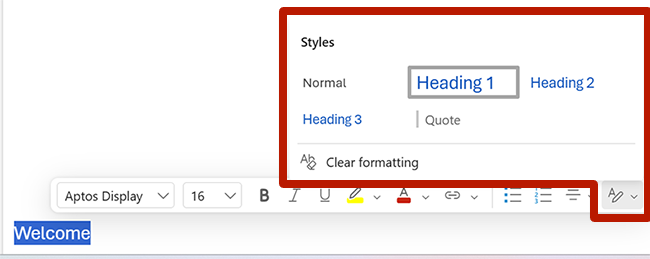
To apply heading styles in an email:

  1. Select the text.
  2. Select the Styles button from the Message tab or from the floating context menu.
  3. Choose the applicable heading style.
Screenshot highlighting the styles menu in Microsoft Outlook for windows.
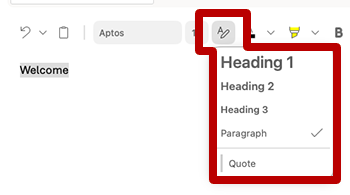
  1. Select the text.
  2. Select the Styles button from the formatting menu.
  3. Choose the applicable heading style.
Screenshot highlighting the styles menu in Microsoft Outlook for Mac

Digital Accessibility

Digital Accessibility | Barre Hall